Pre-release No approved public price. An enquiry does not start a subscription or take a payment.
Customers book a time on your website.
Ascent Direct Booking is the booking page for one business. A customer chooses a service and a time. You keep the services, the people, and the opening hours.
Ask about Direct Booking Read the Help Centre
The button opens the Ascent Media enquiry form for Ascent Direct Booking and selects Discuss a project. Sending it does not create an account, start a subscription, or begin the work.

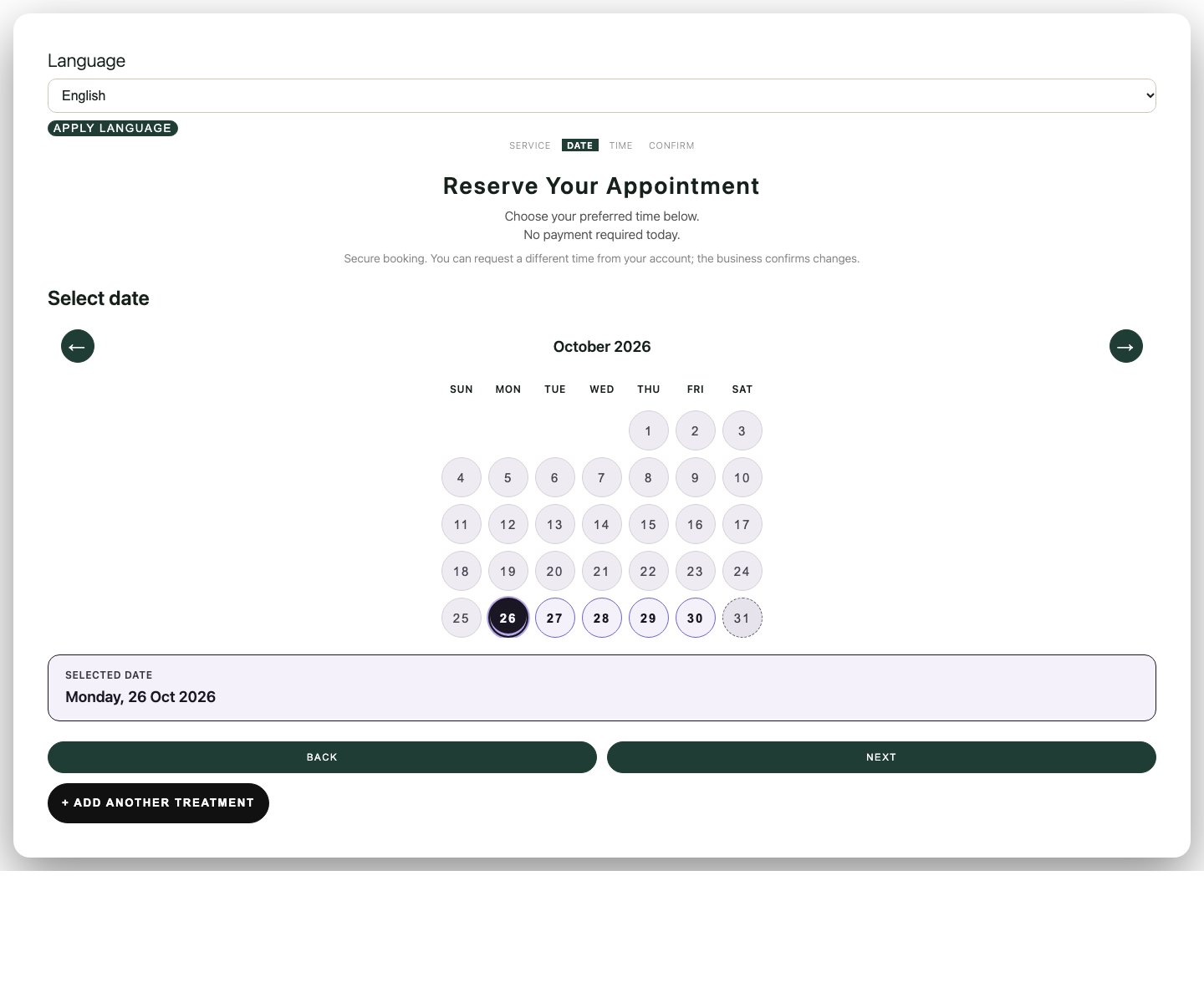

What the customer does
-
Choose the service
The booking page lists the services you have saved, with the duration stored for each one.
-
Pick a date and a time
Times come from the people who can do that service, and from the hours saved for them.
-
Confirm the visit
In the setup exercise, confirmation used a customer account prepared for that fixture. A signed-out visitor was asked to log in. Creating a new customer account was not shown.
The amount on the confirmation is a booked value. It is not a card payment, a deposit, or money collected by this product.
What you manage
After the plugin is on your WordPress site, the business owner uses the Booking owner screen. The plugin name on that screen is Ascent Booking.
-
The business
Name, support details, currency, and timezone. Save those before appointments exist. After records exist, currency and timezone stay locked.
-
Services
A name, a stored price, and a duration. The price is what the booking page shows. It is not a charge taken online.
-
People and hours
Who can perform a service, and the weekly hours those people work. A time has to fit both.
-
The booking page
Publish the page, then add a booking button or link on your site. Placing the form inside another page was not demonstrated.
One WordPress installation is for one business. Payments from your customers, deposits, calendar sync, SMS, and WhatsApp messages are not included.
The same booking path, different work
These scenes show the kind of appointment business. They do not add a specialist edition, a second location, or clinical tools.
-

Hair and beauty
A clear next step for every salon visit.
-
Wellness
A calmer start to the next session.
-

Specialist practices
Clear consultation steps. Clear expectations.
-

Coaching and fitness
Put individual sessions in focus.
-

Teaching
Clear choices for individual lessons.
-

More industries
Professional services, pets, creative work, repairs, and visits.


Illustrative industry scenes. Phone screens are concepts, not the Ascent interface. A heading such as clinic or dental does not add charting, records, or payments.
Where it can run
Ascent Maps and Ascent Studio are different products. This page does not include their prices or terms.
Questions before you ask
How do I get access?
Send an enquiry. There is no public purchase button and no open demo. Access is arranged after Ascent replies. A login page is not a trial.
What does it cost?
There is no approved public price. The enquiry form does not select a plan and does not start a payment.
Can my customers pay me through the booking page?
No. Customer payments and deposits are not included. The figure on a booking is a recorded value, not money taken.
Are text or WhatsApp reminders included?
No. SMS and WhatsApp delivery are not included. A phone number on the booking form is contact information, not a message sent by this product.
Can a new customer create an account and confirm?
That route was not shown. In the setup exercise, confirmation used an account prepared in advance, and guest booking stayed off.
Ask before access is arranged
Tell us the business, the website you already have, and that you are asking about Ascent Direct Booking.